01 / 03
Step 1: Set the intake rules
Tell submitters what kind of music you accept, which file or link formats are useful, and what information must be included.
Worth noting
Categories evolve fast. Use this section as a snapshot, not a contract.
Workflow
A good submission workflow makes it clear what to send, where it goes, who reviews it, and what happens after a decision.




The short answer
>Help teams collect demos, briefs, and collaborator submissions in a structured workflow.
In the catalog
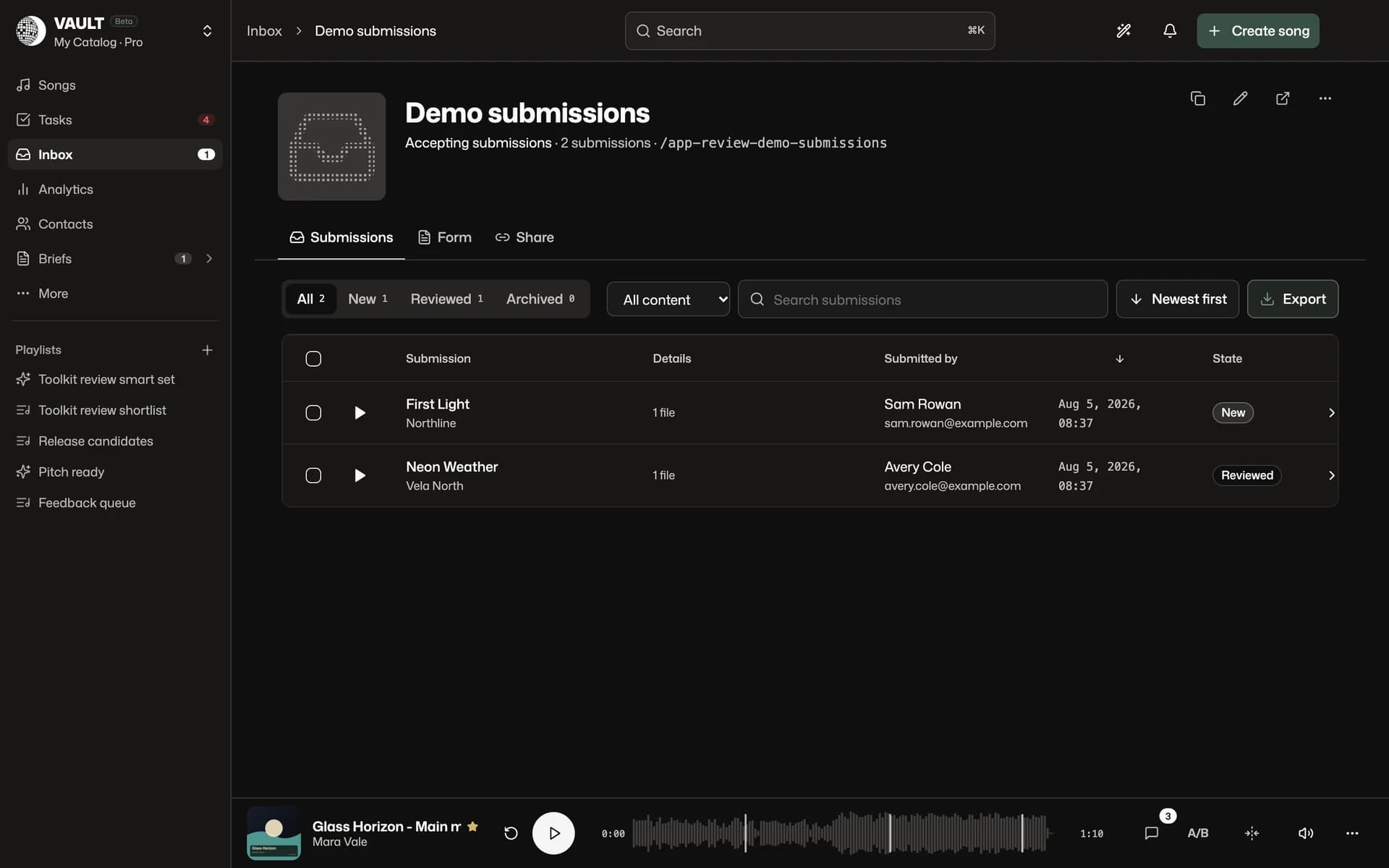
Submission inbox with reviewed demos
A public inbox link collects submissions. Each one shows who sent it, when, and whether it has been reviewed. Inboxes start on the Creator plan.
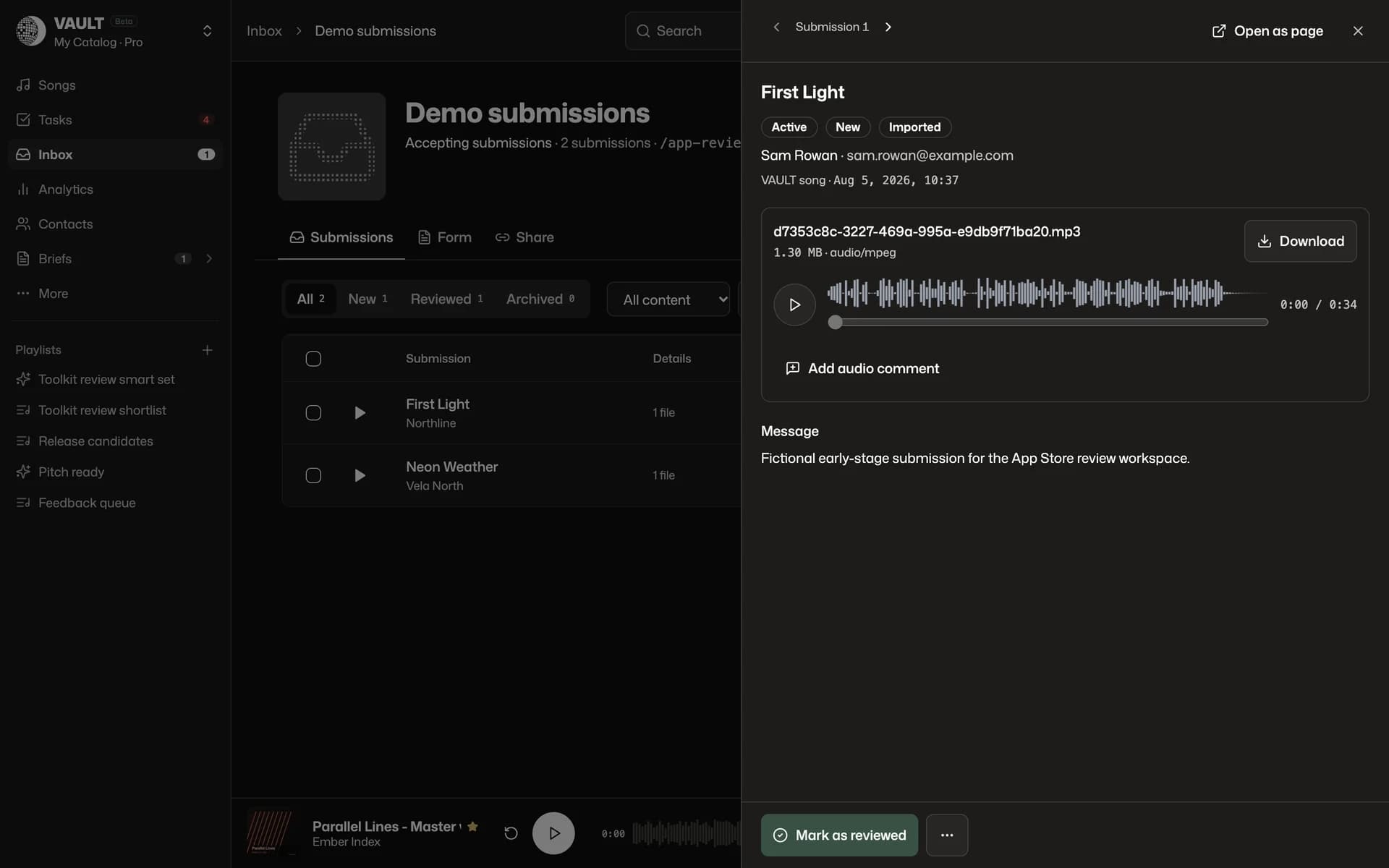
Reviewing a submission
Open a submission to play the audio, read the message, download the file and mark it reviewed.
What to look for
The questions to ask before committing to any tool in this category.
01 / 03
Tell submitters what kind of music you accept, which file or link formats are useful, and what information must be included.
Worth noting
Categories evolve fast. Use this section as a snapshot, not a contract.
02 / 03
A single inbox gives the team a shared view of what arrived and what still needs attention.
Worth noting
Categories evolve fast. Use this section as a snapshot, not a contract.
03 / 03
Accepted submissions should become catalog records, playlist options, or follow-up tasks without manual copying.
Worth noting
Categories evolve fast. Use this section as a snapshot, not a contract.
Questions
Related VAULT tools
Bring one active project into VAULT and keep versions, shares, and follow-up attached to the catalog.