



Feature / Mono check

Check your mix in mono without leaving the catalog

Phone speakers, clubs and many broadcasts play in mono. The VAULT player lets you switch a track to mono, or to the sides only, while you review it.

Catalog · 4 songs
  • What I Need by Remy Cooper — album artwork
    What I Needv3 · master
    Remy Cooper·92 BPM·F♯m
  • Playtime by Life Is A Loop — album artwork
    Playtimev4 · mix
    Life Is A Loop·108 BPM·C
  • Lose Control by Remy Cooper — album artwork
    Lose Controldemo
    Remy Cooper·124 BPM·Am
  • Cymatic by Life Is A Loop — album artwork
    Cymaticv2 · alt
    Life Is A Loop·86 BPM·D
privateversioned
vault.toolkit.music

The short answer

>The VAULT web player switches between stereo, mono and sides with one button, as part of the Pro reference tools.

In the catalog

Inside VAULT

View all screenshots
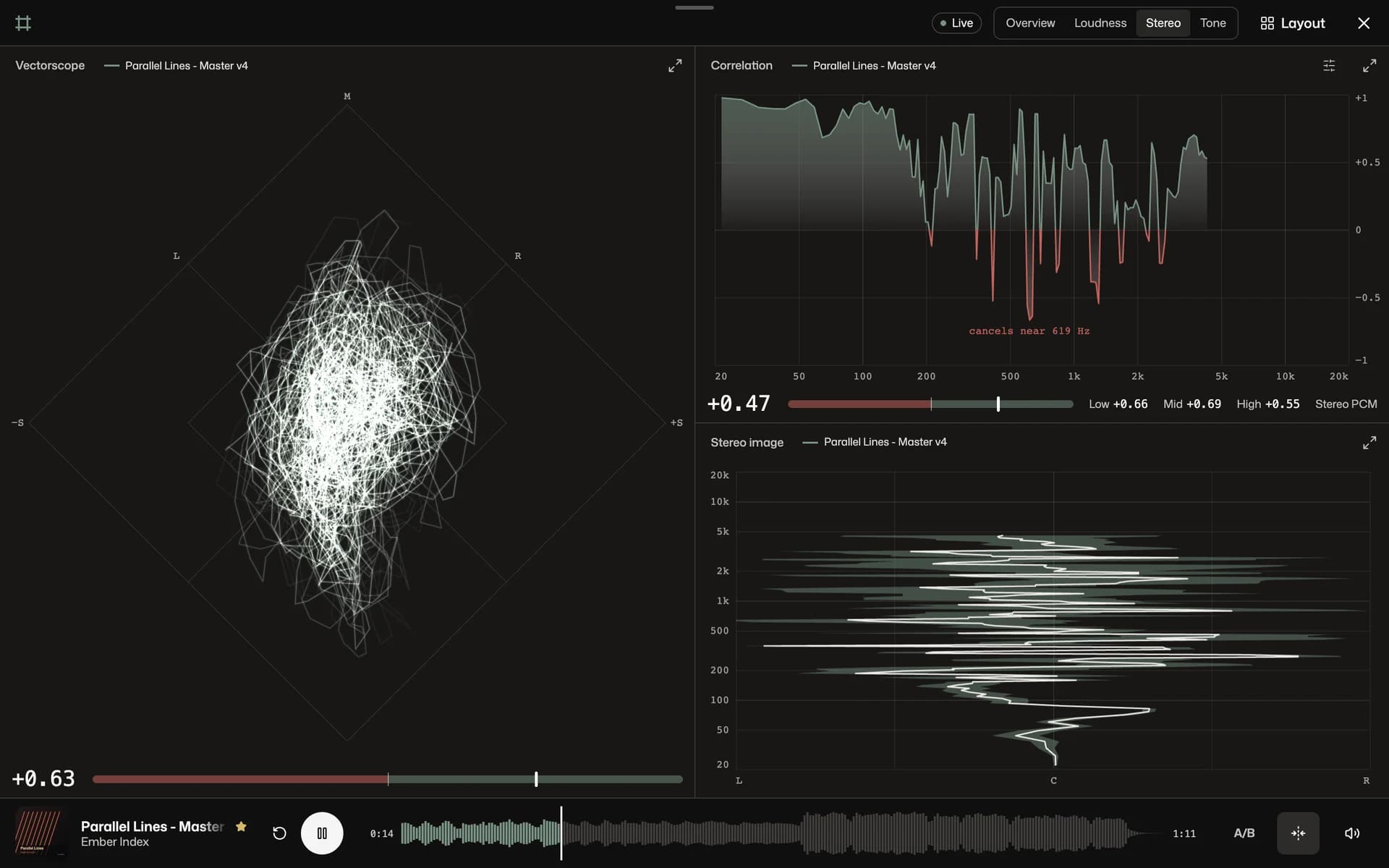
VAULT Visual Mode stereo view with vectorscope, correlation by frequency and stereo image, with the mono button active in the player

Stereo analysis with the mono check

The stereo view shows a vectorscope, correlation by frequency and the stereo image. The monitor button in the player switches playback to mono or sides, a Pro reference tool.

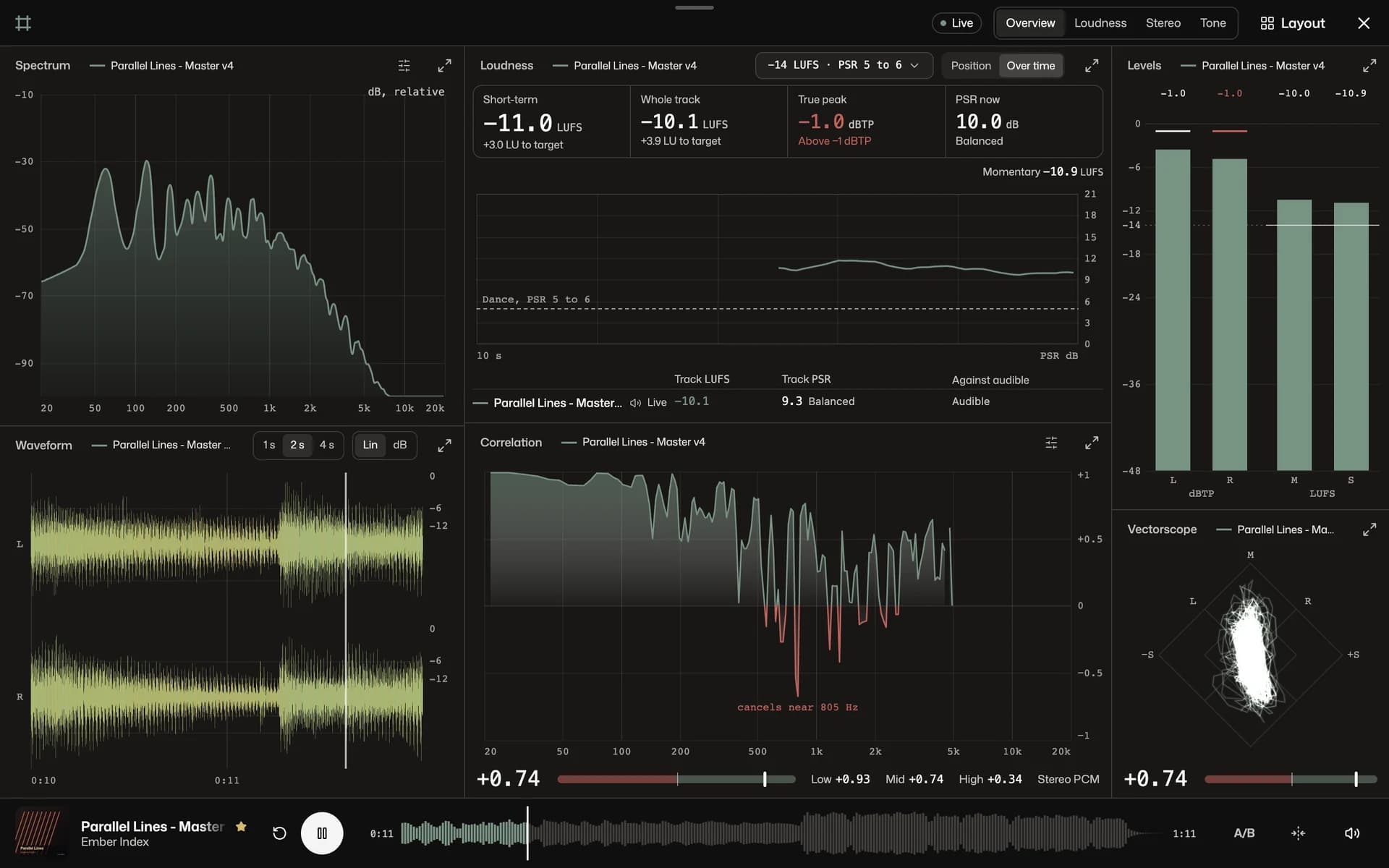
VAULT Visual Mode showing spectrum, loudness in LUFS with true peak, levels, waveform, correlation and vectorscope for a playing master

VAULT Visual Mode audio analyzers while a track plays

Visual Mode turns the player into an analysis view: spectrum, loudness in LUFS, true peak, levels, correlation and a vectorscope, live while the track plays. Free includes spectrum, waveform and levels; Creator unlocks all ten panels.

What to look for

Decision criteria

The questions to ask before committing to any tool in this category.

  • 01One monitor button: click for mono, shift-click for sides, click again for stereo
  • 02Mono sums both channels, so phase problems become audible
  • 03Sides plays only the stereo difference (L-R), so you hear what is wide
  • 04Works on any track in your catalog, next to its versions and comments

01 / 02

Why check in mono

Elements that sound wide in stereo can get thin or disappear in mono. Checking before you send a mix avoids surprises on phones and small speakers.

Worth noting

Categories evolve fast. Use this section as a snapshot, not a contract.

Where VAULT fits

How it works in VAULT

The monitor button in the web player switches modes while the track keeps playing. A click toggles mono, and shift-click switches to sides. Mono check is part of the Pro reference tools, together with level matching.

Questions

Common questions, short answers

Yes. Click the monitor button in the web player to hear the track in mono, and shift-click it to hear only the sides.

Your catalog is
waiting.

Bring one active project into VAULT and keep versions, shares, and follow-up attached to the catalog.