Workflow
- Upload the new mix as a version of the song
- Share it with collaborators or send a private link with comments switched on
- Collect timestamped notes and reply in the thread
- Resolve each comment when the change is in the next version
Feature / Timestamped comments
In VAULT, a comment can point to a moment in the track. Click it and the player jumps there, so "the snare at 1:42" is never a guess.


The short answer
>Comments in VAULT point to a second in a specific track version, with replies, resolving, and guest comments on private links when you allow them.
In the catalog
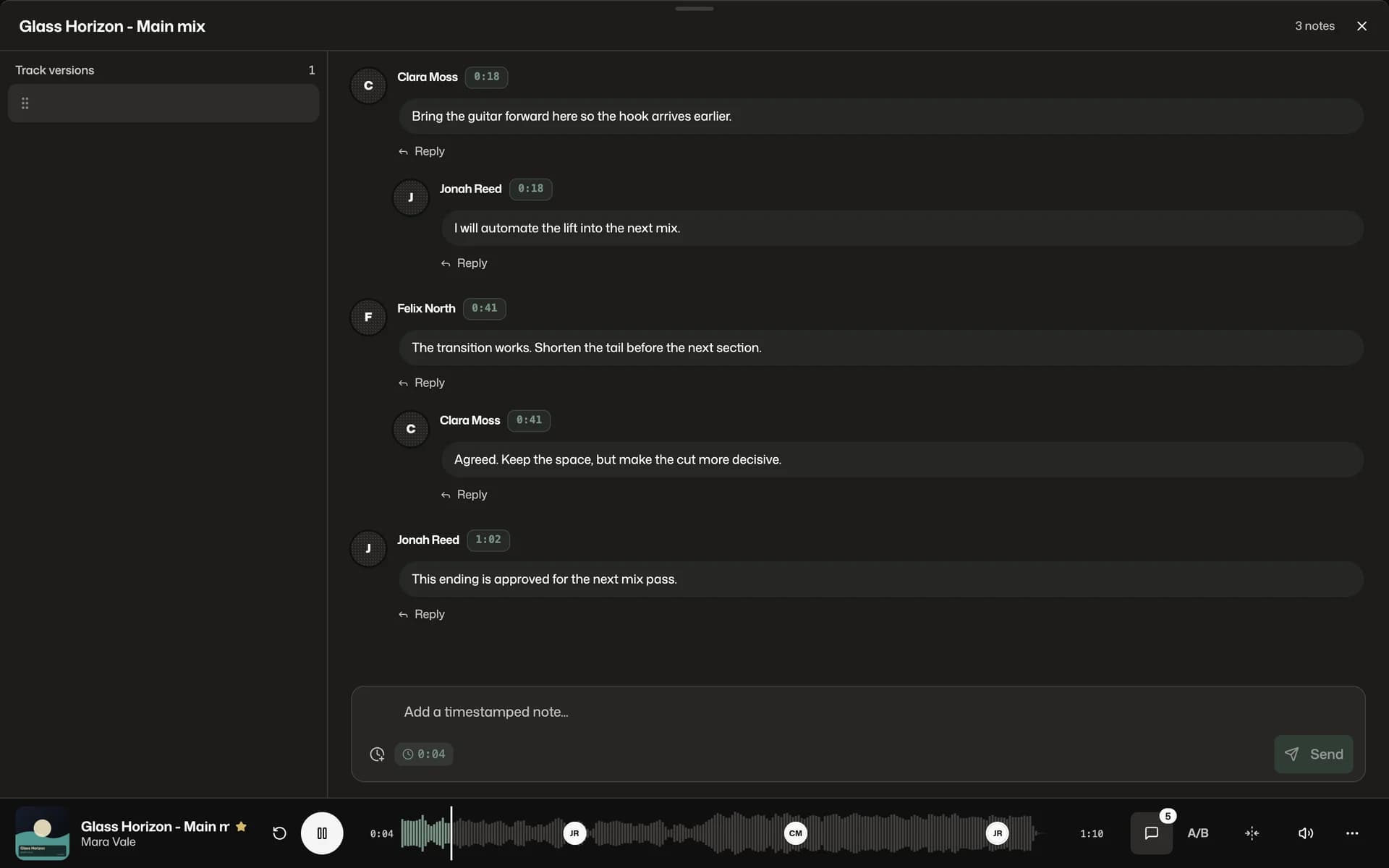
Timestamped comments on a track in VAULT
Collaborators pin notes to a moment in the track and reply in threads. The markers on the waveform jump to each comment.
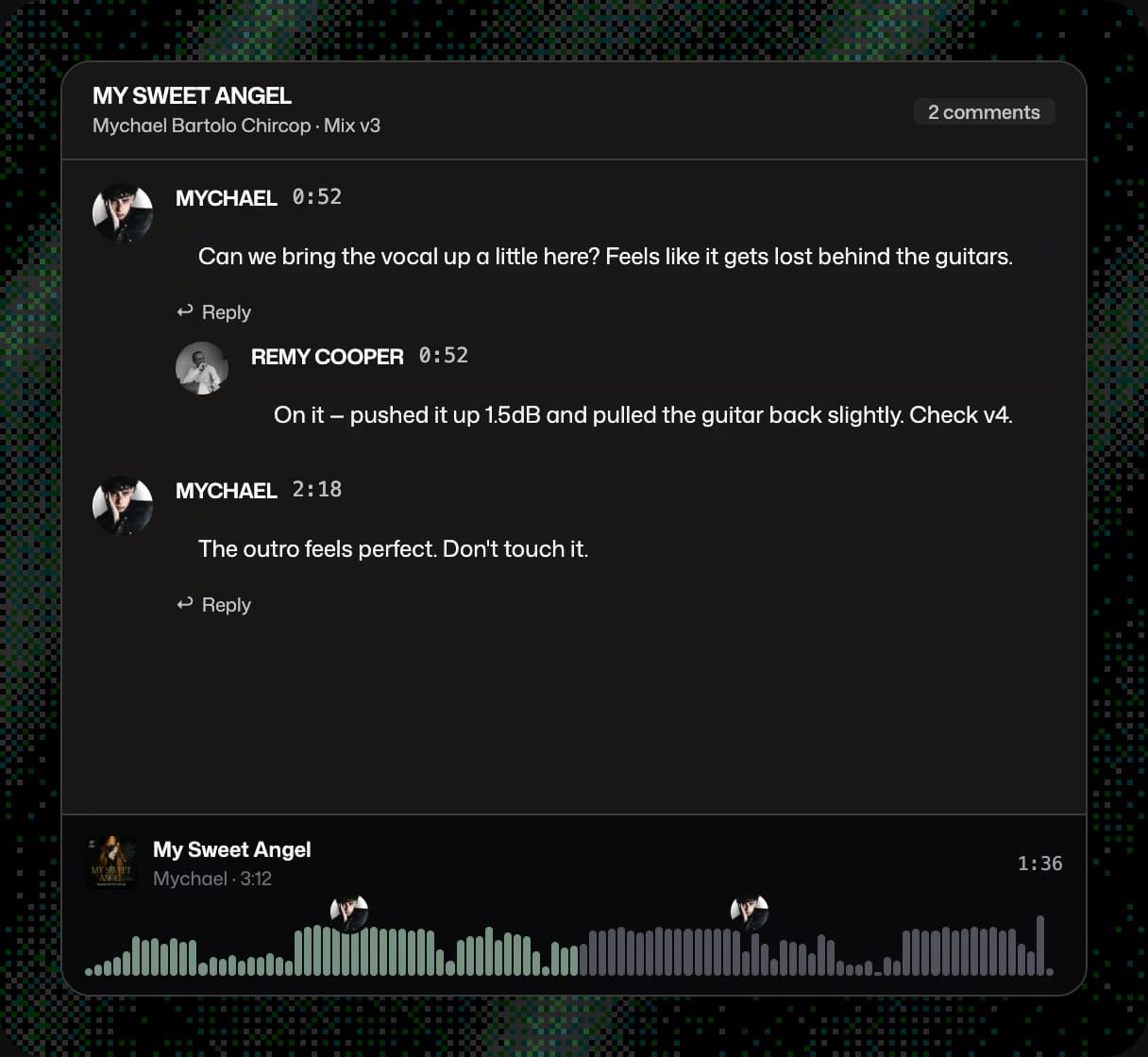
Timestamped comments on a mix
Collaborators leave comments at an exact moment in the track and reply in the same thread.
What to look for
The questions to ask before committing to any tool in this category.
Practical guide
Use these checkpoints to evaluate the workflow, not only the feature list. The best tool should make the next review, share, or follow-up easier.
01 / 02
Notes in email, chat and voice memos lose track of which version and which moment they meant. The next mix then fixes the wrong thing.
Worth noting
Categories evolve fast. Use this section as a snapshot, not a contract.
Where VAULT fits
Comments live on the track version inside the song, next to its lyrics, credits and tasks. Your team comments inside the workspace. For outside listeners you can switch on comments for a private link; they add their name, and optionally an email, and pin their comment to a moment.
Questions
Related VAULT tools
Bring one active project into VAULT and keep versions, shares, and follow-up attached to the catalog.