Best for
- Producers and engineers comparing mix and master versions
- Artists checking a master before release
- A&R and labels reviewing deliveries for loudness and balance
Feature / Visual Mode
Visual Mode turns the VAULT player into an analysis view. Check frequency balance, loudness and stereo width of any track in your catalog without opening a DAW or a plugin.



The short answer
>Visual Mode adds ten audio analyzers to the VAULT web player. Free includes three, Creator includes all ten, and Pro adds tuning and custom loudness targets.
In the catalog
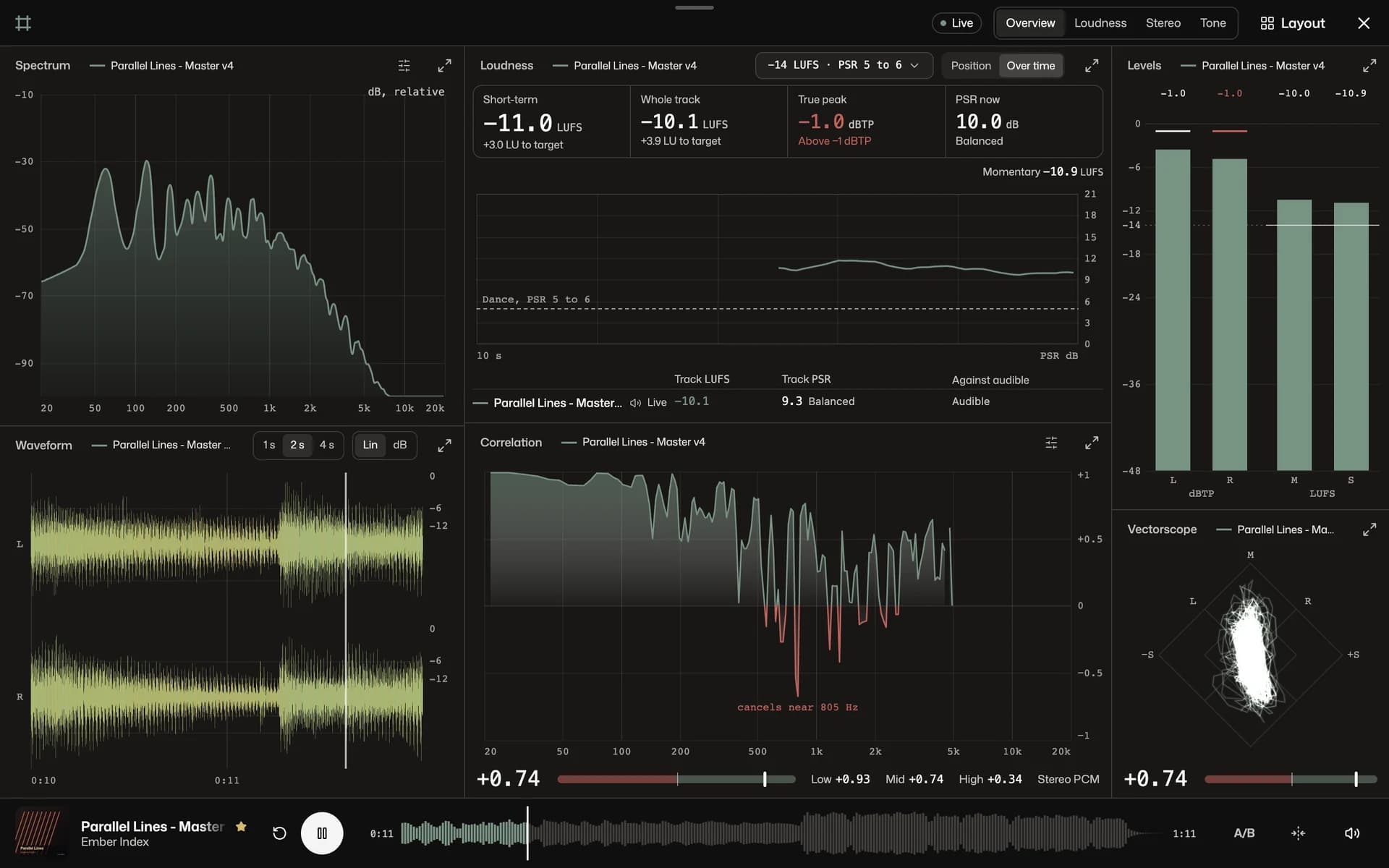
VAULT Visual Mode audio analyzers while a track plays
Visual Mode turns the player into an analysis view: spectrum, loudness in LUFS, true peak, levels, correlation and a vectorscope, live while the track plays. Free includes spectrum, waveform and levels; Creator unlocks all ten panels.
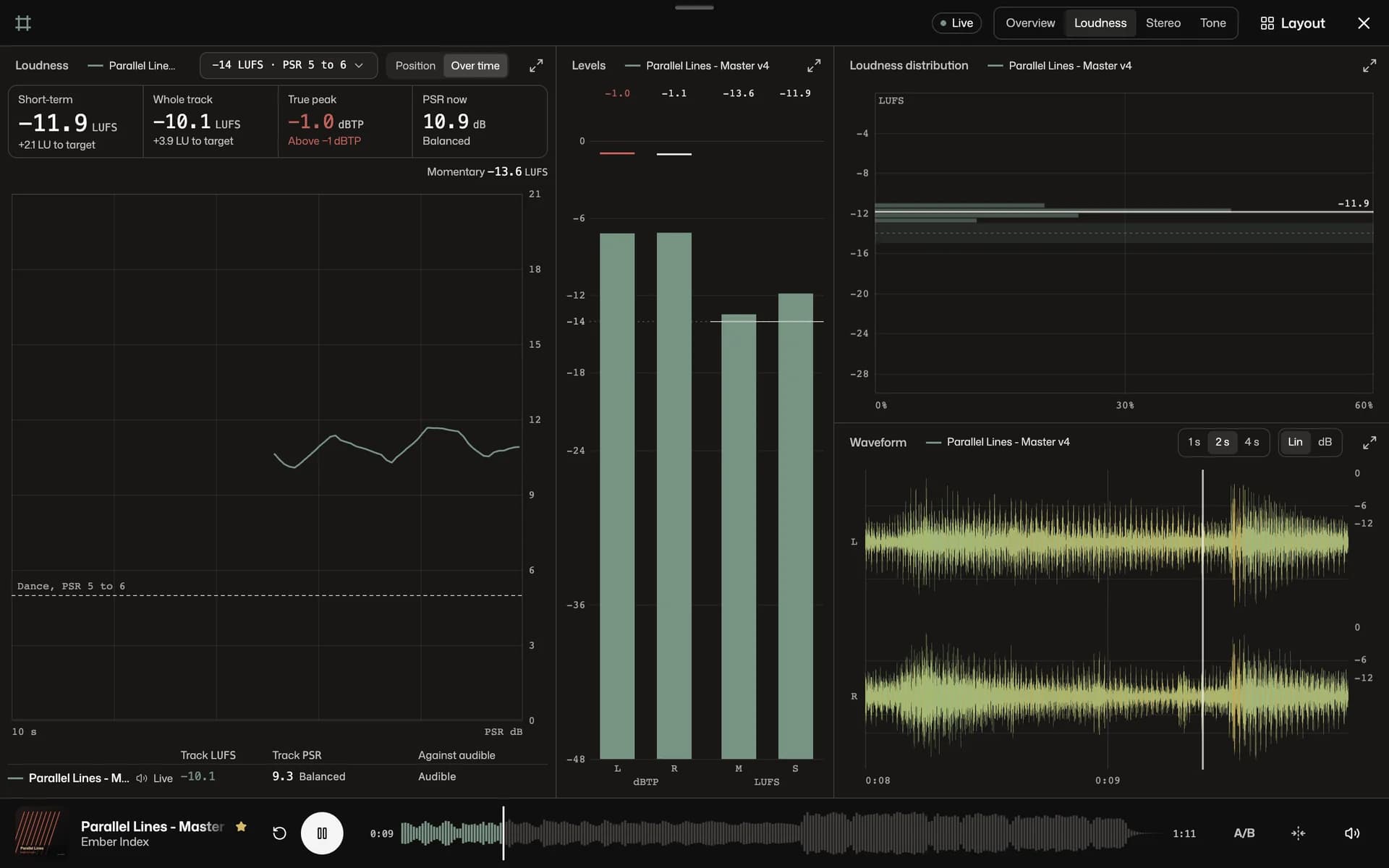
Loudness analysis in LUFS with true peak
Check loudness while you listen: short-term and whole-track LUFS, true peak, dynamics (PSR) over time and a loudness distribution. Custom loudness targets are a Pro feature.
What to look for
The questions to ask before committing to any tool in this category.
Practical guide
Use these checkpoints to evaluate the workflow, not only the feature list. The best tool should make the next review, share, or follow-up easier.
01 / 02
Checking a mix usually means downloading the file and opening it in another tool. In VAULT the analyzers run on the track you are already reviewing, next to its versions and comments.
Worth noting
Categories evolve fast. Use this section as a snapshot, not a contract.
02 / 02
Free includes spectrum, waveform and levels. Creator unlocks all ten panels and custom layouts. Pro adds panel tuning, your own loudness and dynamics targets (the default target is -14 LUFS) and a spectrum floor you can raise from -100 dB to -60 dB to hide quiet noise.
Worth noting
Categories evolve fast. Use this section as a snapshot, not a contract.
Questions
Related VAULT tools
Bring one active project into VAULT and keep versions, shares, and follow-up attached to the catalog.